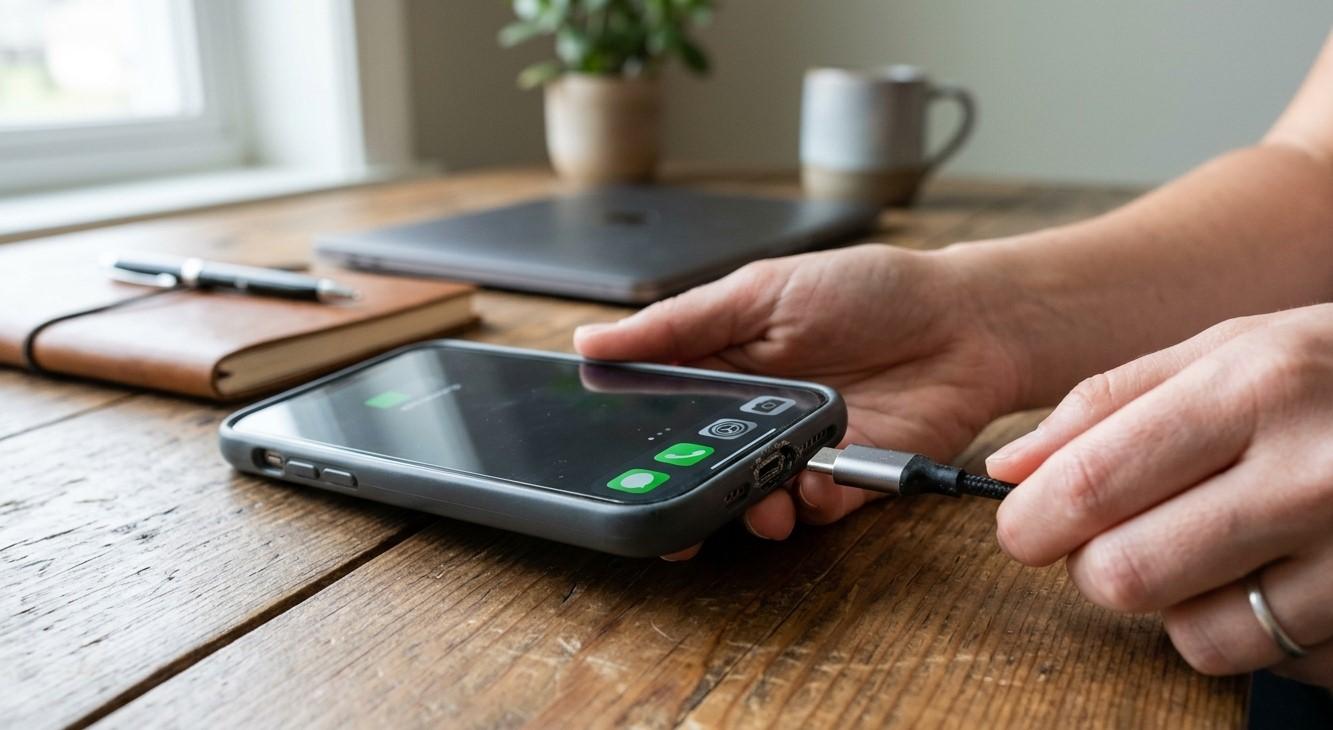
A smartphone charging port plays an important role in keeping your device powered and ready for everyday use. Whether you use your phone for communication, work, entertainment, or browsing, a properly functioning charging port is essential. When the port becomes damaged, charging may become slow, inconsistent, or stop completely.
Charging problems can result from dust buildup, moisture exposure, accidental damage, worn connectors, or internal hardware issues. Recognizing the warning signs early can help prevent further damage. Precision Fix helps customers searching for the best mobile phone repair in Albany understand common smartphone problems and possible repair solutions. If your device has persistent charging issues, professional mobile phone repair Albany services can help identify the cause.
Table of Contents
-
Common Signs of a Damaged Charging Port
-
What Causes Charging Port Damage?
-
How to Troubleshoot Charging Port Problems
-
When to Seek Professional Repair
-
Tips to Protect Your Charging Port
-
Frequently Asked Questions
1. Common Signs of a Damaged Charging Port
Recognizing charging port problems early can help you take appropriate action.
1. Your Phone Charges Only at Certain Angles
If your phone charges only when the cable is held in a particular position, the charging port or cable connector may be damaged or worn.
Avoid repeatedly adjusting or forcing the cable because this can make the problem worse.
2. Charging Starts and Stops Unexpectedly
A damaged or loose connection may cause charging to disconnect repeatedly. You may notice the charging symbol appearing and disappearing even when the cable remains plugged in.
3. Your Phone Charges Slowly
A damaged port may interfere with the connection needed for normal power delivery. However, slow charging can also result from a faulty cable, incompatible adapter, or aging battery.
4. The Charging Cable Feels Loose
If the cable no longer fits securely, the port may have worn connectors or physical damage. Do not force the connector into place.
5. Your Phone Does Not Recognize the Charger
A phone that fails to recognize compatible charging accessories may have a damaged port, contaminated contacts, or a software-related problem.
6. You Notice Visible Port Damage
Bent connectors, corrosion, discoloration, or physical damage around the charging port can indicate a hardware problem. Moisture exposure may also cause internal corrosion.
2. What Causes Charging Port Damage?
Several everyday situations can affect charging port performance.
-
Dust and lint: Debris can accumulate inside the port and interfere with the connection.
-
Frequent cable movement: Pulling or twisting the cable can place pressure on the connector.
-
Moisture exposure: Water and other liquids can damage internal contacts.
-
Using incompatible accessories: Poor-quality or unsuitable charging accessories may contribute to connection problems.
-
Accidental drops: Impacts can damage the port or loosen internal connections.
-
Normal wear: Repeated plugging and unplugging can gradually wear charging components.
3. How to Troubleshoot Charging Port Problems
Before arranging a repair, try these basic checks.
Check the Charging Cable and Adapter
Test your phone with a known-compatible, undamaged cable and adapter. This can help determine whether the accessory is causing the problem.
Inspect the Charging Port
Look for visible dust, lint, moisture, or damage. Avoid inserting pins, needles, metal objects, or sharp tools into the port.
If debris is difficult to remove, have a professional inspect it.
Restart Your Smartphone
A restart may resolve temporary software issues that interfere with charging recognition.
Check for Moisture
If your phone or charging port has become wet, disconnect the charger immediately. Do not charge the device until it is completely dry and the manufacturer's guidance indicates it is safe.
Never use direct heat to dry the port.
4. When to Seek Professional Repair
Professional inspection is recommended when charging problems continue after basic troubleshooting.
Contact a repair technician if:
-
The cable repeatedly disconnects.
-
The port feels loose or damaged.
-
The phone does not recognize compatible chargers.
-
Charging stops completely.
-
You notice corrosion or liquid damage.
-
The device becomes unusually hot while charging.
A technician can inspect the charging port and related components to determine whether cleaning, repair, or replacement is necessary.
5. Tips to Protect Your Charging Port
You can reduce the risk of charging port damage with a few simple habits:
-
Use compatible charging cables and adapters.
-
Avoid pulling the cable out by its cord.
-
Keep your phone away from water and excessive moisture.
-
Do not force connectors into the port.
-
Avoid charging in dusty environments.
-
Keep the charging port clean and inspect it periodically.
-
Handle your phone carefully to prevent accidental drops.
Frequently Asked Questions
How do I know if my phone charging port is damaged?
Common signs include loose cable connections, inconsistent charging, slow charging, and failure to recognize compatible chargers.
Can a dirty charging port cause charging problems?
Yes. Dust and lint can prevent proper contact between the charging cable and the port.
Should I use a needle to clean my charging port?
No. Sharp or metal objects can damage internal contacts. Have stubborn debris removed professionally.
Can a damaged charging port be repaired?
Depending on the phone model and the extent of the damage, a technician may be able to clean, repair, or replace the charging port.
Why does my phone charge only when the cable is moved?
This may indicate a worn charging port, damaged cable, or loose internal connection. Avoid forcing the cable and arrange an inspection if the problem continues.
Conclusion
A damaged smartphone charging port can cause slow charging, loose connections, repeated disconnections, and complete charging failure. Identifying these warning signs early can help prevent further damage and reduce inconvenience. Checking your charging accessories and keeping the port free from moisture and debris can also help maintain reliable performance.
Precision Fix helps customers looking for the best mobile phone repair in Albany explore solutions for common smartphone charging problems. If you need dependable mobile phone repair Albany, visit Precision Fix to learn more about available repair options.
Experiencing charging problems with your smartphone? Contact Precision Fix today to discuss your device issue and explore the right repair solution.



Share this page with your family and friends.