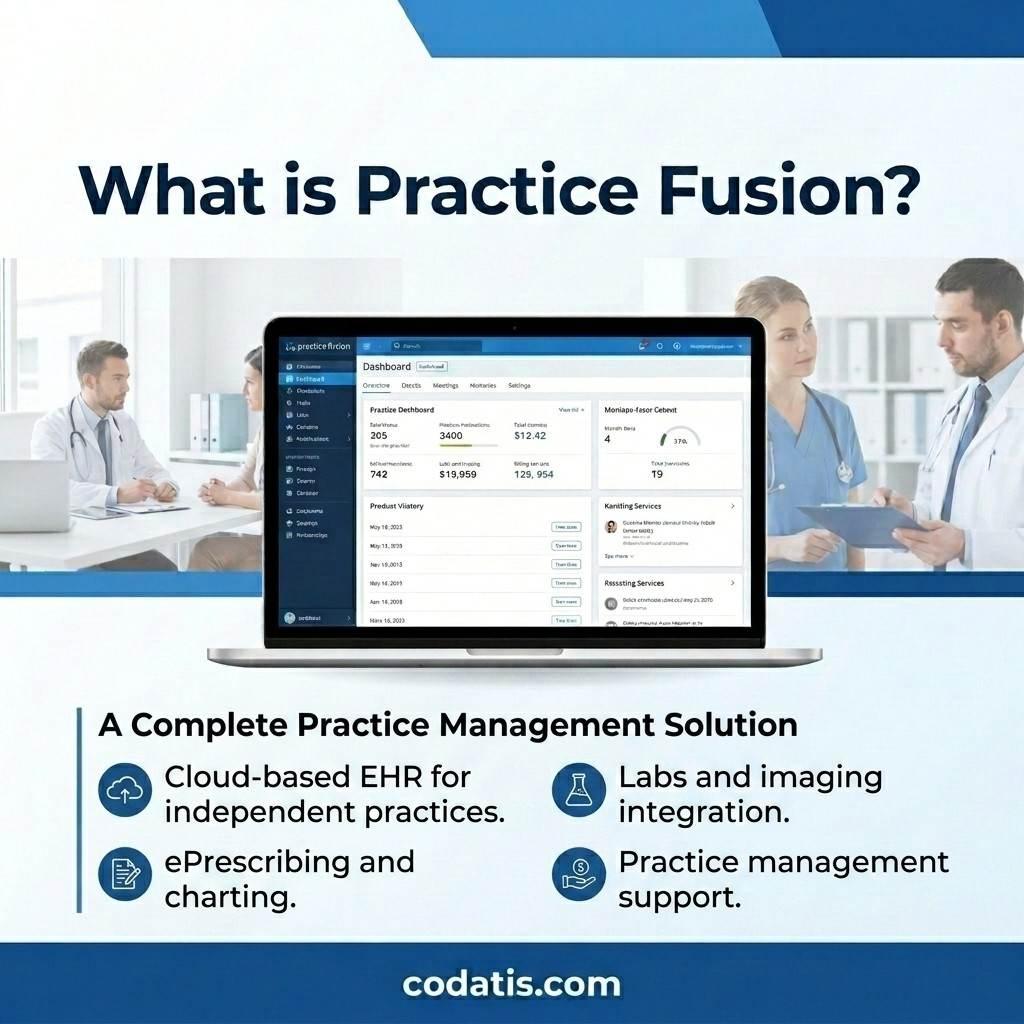
Choosing the right EHR can influence everything from patient charting and appointment management to prescribing and billing. Practice Fusion is a cloud-based electronic health record platform designed primarily for independent medical practices. It provides clinical documentation, e-prescribing, scheduling, patient engagement, and other tools intended to simplify everyday healthcare workflows.
For practices researching Practice Fusion EHR software, the decision usually comes down to features, usability, accessibility, and overall cost. This guide explores the platform from practical perspectives and addresses common questions about its pricing, mobile access, demonstrations, and alternatives.
What Is Practice Fusion?
What is Practice Fusion? It is a cloud-based EHR platform that allows healthcare professionals to manage electronic patient records and various administrative and clinical activities through an online environment.
Unlike traditional systems that may require extensive local infrastructure, Practice Fusion EMR software is designed around cloud accessibility. This can make it easier for providers and staff to access their workflows from supported devices.
So, what is Practice Fusion EHR software used for? Depending on the practice's configuration and selected services, it can support patient charting, appointment scheduling, e-prescribing, laboratory and imaging workflows, patient communication, reporting, and billing-related activities.
For smaller and independent practices, having several functions available on a single platform can reduce the need to manage multiple disconnected systems.
Practice Fusion EMR Software Features
Understanding Practice Fusion EMR features is important before deciding whether the platform fits a particular practice. EHR requirements vary considerably across specialties, so practices should evaluate features based on their actual workflows.
Common capabilities associated with Practice Fusion EHR software include:
-
Electronic patient records
-
Customizable charting
-
Electronic prescribing
-
Medication and allergy checks
-
Appointment scheduling
-
Patient portal functionality
-
Laboratory connectivity
-
Imaging connectivity
-
Patient communication
-
Reporting
-
Billing-related tools
-
Cloud-based access
One notable aspect of the platform is its emphasis on customizable clinical documentation. Templates can help providers structure their notes around recurring workflows instead of creating every chart from scratch.
E-prescribing is another important part of the system. Providers can use electronic prescribing workflows while reviewing medication-related information during patient care.
How Much Does Practice Fusion Cost?
How much does Practice Fusion cost? The current advertised starting price is $199 per provider per month with an annual commitment. Practice Fusion also advertises a 14-day trial for practices that want to evaluate the platform before committing.
The actual Practice Fusion cost for a medical organization can depend on the services it selects and the number of providers using the system.
Therefore, looking only at the base subscription does not always provide a complete picture of total software expenses. Practices should also consider implementation, billing services, patient engagement tools, integrations, and other requirements when calculating their technology budget.
Understanding Practice Fusion Pricing
Practice Fusion pricing should be considered alongside the functionality included with the subscription. A lower monthly subscription does not necessarily mean a better value if a practice must purchase several additional systems to perform everyday tasks.
When reviewing Practice Fusion EMR pricing, practices should ask:
-
How many providers will use the platform?
-
Which features are included?
-
Are billing services required?
-
Are additional integrations necessary?
-
What training is provided?
-
Are there contract commitments?
-
What support options are available?
These questions can help practices calculate their expected total cost instead of focusing exclusively on the advertised monthly rate.
What Is the Practice Fusion EMR Cost Per Month?
The advertised starting Practice Fusion EMR cost per month is currently $199 per provider when using the annual commitment option. However, a practice with multiple providers should multiply the provider rate by the number of users and account for any additional services.
For example, a practice with five providers should not assume that the advertised individual-provider price represents its complete monthly technology budget.
Anyone researching Practice Fusion EMR cost should therefore request current pricing based on their organization's exact requirements before signing an agreement.
Is Practice Fusion EMR Free?
Is Practice Fusion EMR free? No. The platform is a paid EHR solution rather than a permanently free product.
However, Practice Fusion currently provides a 14-day free trial, allowing prospective customers to explore the system before purchasing.
A trial can be especially useful for testing real workflows. Instead of simply looking at screenshots, providers can assess chart creation, scheduling, prescribing, patient communication, and other functions relevant to their daily work.
This can make the purchasing process more practical because clinicians can identify potential workflow problems before making a long-term commitment.
Practice Fusion App and Mobile Access
The Practice Fusion app is another topic that often appears in searches. Because Practice Fusion is a cloud-based system, users can access the EHR through supported browsers and devices.
Mobile accessibility can be valuable for providers who do not always work from a single desktop computer. Tablet-based access may allow clinicians to review information and complete supported workflows from different locations within a practice.
However, organizations should verify the current supported devices and browser requirements before implementation. Mobile accessibility should also be evaluated alongside security, usability, and screen size because clinical documentation can be more demanding than basic administrative tasks.
Practice Fusion EMR Login
The Practice Fusion EMR login provides users with access to their practice's cloud-based environment. Since EHR systems contain sensitive patient information, account security should be treated as a major consideration.
Healthcare organizations should ensure that employees use appropriate credentials and follow internal security procedures when accessing Practice Fusion EMR software.
For organizations managing multiple providers and staff members, it is also useful to establish clear access policies. Users should only have the permissions necessary for their responsibilities.
Practice Fusion EMR Demo: What Should You Check?
A Practice Fusion EMR demo can help practices determine whether the platform is suitable before making a purchase.
During a demonstration, do not focus only on the visual appearance of the software. Ask the vendor to demonstrate actual workflows, including:
-
Creating a new patient.
-
Scheduling an appointment.
-
Documenting a clinical visit.
-
Sending a prescription.
-
Reviewing patient information.
-
Communicating with patients.
-
Generating reports.
-
Managing billing workflows.
A practical demo can reveal whether the system matches the way your staff already works.
If you are considering GetPracticeFusion software for a practice, the demo stage is also a good time to ask about implementation, training, support, integrations, and contract terms.
DrChrono vs Practice Fusion
The DrChrono vs Practice Fusion comparison is common among practices researching cloud-based EHR platforms. Both solutions can support healthcare workflows, but practices should avoid choosing between them based on one feature or price point.
When comparing DrChrono vs Practice Fusion, consider:
|
Category
|
What to Evaluate
|
|
EHR
|
Charting and documentation
|
|
Scheduling
|
Appointment workflows
|
|
Prescribing
|
E-prescribing capabilities
|
|
Billing
|
Billing and revenue-cycle options
|
|
Mobile access
|
Tablet and browser support
|
|
Patient engagement
|
Portal and communication tools
|
|
Integrations
|
Connections with external systems
|
|
Reporting
|
Administrative and clinical reports
|
|
Support
|
Training and customer assistance
|
|
Pricing
|
Subscription and additional costs
|
The better option depends on the practice's specialty, size, workflow, and budget.
Static Practice Fusion: What Does It Mean?
The phrase static Practice Fusion may appear in searches, but it is important to understand the context before interpreting it as a specific product feature.
If the term refers to static pages, documentation, or older references to Practice Fusion, users should verify that the information is current. EHR platforms can change pricing, features, integrations, and access methods over time.
For this reason, current vendor information is generally more reliable than outdated software directories when researching Practice Fusion pricing or functionality.
How to Get Practice Fusion Software
If you want to get Practice Fusion software, you can begin by reviewing the platform's current offering and requesting a demonstration or trial.
Before you buy Practice Fusion EMR software, create a checklist of the functions your practice actually needs. This can include charting, scheduling, prescriptions, patient communication, billing, reporting, and integrations.
The purchasing process should also include a review of contract terms and any additional costs. Asking these questions early can prevent unexpected expenses after implementation.
How Much Cost of Practice Fusion EMR Software Should You Expect?
The question of how much the Practice Fusion EMR software costs ultimately depends on the practice's configuration. The advertised starting price provides a useful baseline, but it should not automatically be considered the final cost.
A practice should calculate:
This approach gives organizations a more realistic estimate of their total EHR investment.
Frequently Asked Questions
1. What is Practice Fusion?
Practice Fusion is a cloud-based electronic health record platform designed primarily for independent medical practices. It provides tools for clinical documentation, prescribing, scheduling, patient engagement, and related workflows.
2. How much does Practice Fusion cost?
Current advertised pricing starts at $199 per provider per month with an annual commitment. Additional services may affect the final cost.
3. Is Practice Fusion EMR free?
No. Practice Fusion is a paid EHR platform, although the company currently offers a 14-day trial for prospective users.
4. Does Practice Fusion have an app?
Practice Fusion supports cloud-based access through supported browsers and devices. Practices should check current device requirements when evaluating mobile use.
5. Does Practice Fusion offer an EMR demo?
Yes. Prospective customers can request a Practice Fusion EMR demo to explore the platform and discuss their practice requirements.
6. Is Practice Fusion suitable for small practices?
It can be worth considering for independent and smaller medical practices, particularly those looking for a cloud-based EHR with clinical and administrative capabilities. The final decision should depend on specialty, workflow, budget, and required integrations.




Share this page with your family and friends.