Every workplace has risks, whether employees work in an office, warehouse, factory, construction site, or industrial facility. A loose electrical cable, an unsafe machine, a chemical spill, or a poorly planned task can lead to an injury if nobody identifies the problem in time. EHS Management Software helps organizations manage these risks by bringing hazard identification, risk assessments, incident reports, investigations, and corrective actions into one system. Instead of depending entirely on paper forms and scattered spreadsheets, safety teams can record information, assign responsibilities, and follow up on issues more consistently.
For example, if a worker notices an unsafe condition during a routine inspection, they can report it so the responsible supervisor can review the issue and arrange corrective action. If an incident occurs, the safety team can document what happened, investigate its causes, and monitor the steps taken to prevent a similar event. This creates a more organized approach to workplace safety.
What Is EHS Management Software?
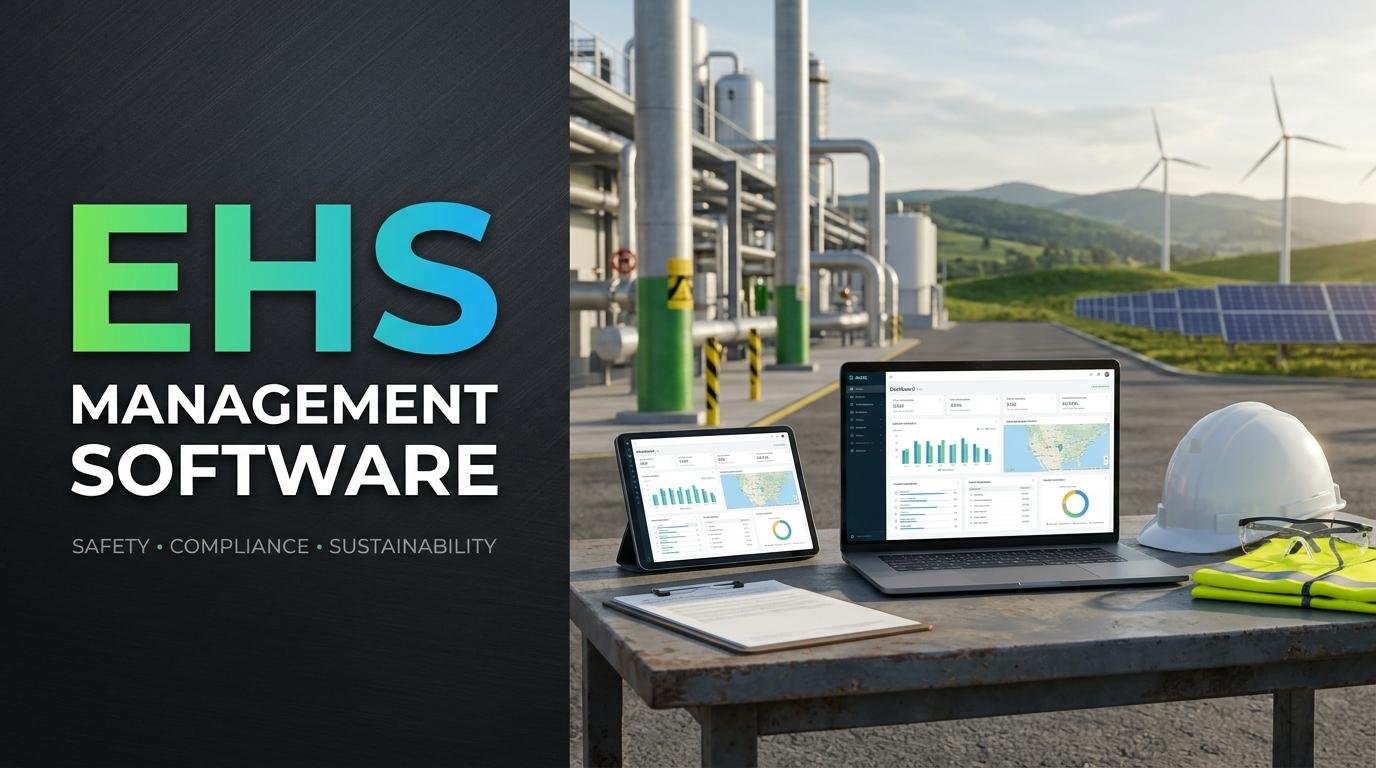
EHS Management Software is a digital platform used to manage environmental, health, and safety activities within an organization. It helps safety managers, supervisors, and employees maintain records, identify workplace hazards, assess risks, report incidents, and monitor safety-related tasks.
The exact features depend on the software, but a typical platform may include:
-
Hazard identification and reporting
-
Risk assessment and risk scoring
-
Incident and near-miss reporting
-
Investigation management
-
Corrective and preventive action tracking
-
Workplace inspections and safety audits
-
Safety documentation and record management
-
Compliance monitoring
-
Reports and performance dashboards
For businesses with multiple departments or locations, a centralized platform can make it easier to review safety information and understand which issues need attention.
1. Makes Workplace Risk Assessment More Organized
Risk assessment is an important part of preventing workplace injuries and illnesses. Before employees begin a task, organizations need to consider what could go wrong, who might be affected, and what controls are required.
Risk Assessment Software helps safety teams document this process in a structured way. They can record identified hazards, evaluate their potential consequences, and assign risk levels according to the organization's assessment method.
For example, a maintenance team working on electrical equipment may identify risks such as electric shock, accidental equipment startup, and contact with exposed wiring. The team can document these hazards, assess their severity and likelihood, and specify the necessary control measures.
A risk assessment record may include:
-
Description of the work activity
-
Identified hazards
-
Employees or other people exposed
-
Possible consequences
-
Likelihood and severity ratings
-
Existing safety controls
-
Additional actions required
-
Responsible person and review date
This information gives managers a clearer picture of workplace risks. It also helps them prioritize serious hazards instead of treating every issue as equally urgent.
2. Improves Hazard Identification Before Incidents Occur
Some workplace hazards are easy to notice, while others develop gradually. A damaged machine guard, blocked emergency exit, chemical storage issue, or repeated unsafe work practice may go unnoticed if employees do not have a clear way to report it.
Hazard Identification Software gives workers and supervisors a consistent method for recording unsafe conditions. Depending on the platform, employees may submit reports through mobile devices, attach photographs, and include details about the location and nature of the hazard.
Common hazards that organizations may need to identify include:
-
Slippery floors and blocked walkways
-
Damaged electrical equipment
-
Unsafe machinery and tools
-
Chemical exposure risks
-
Poor ventilation
-
Fire and emergency access issues
-
Manual handling and ergonomic risks
-
Unsafe working at heights
A report should not simply remain in the system. The responsible team needs to review it, decide what action is necessary, and confirm that the hazard has been controlled.
The Occupational Safety and Health Administration (OSHA) recommends regular workplace inspections, worker participation, and investigation of incidents and near misses as part of an ongoing hazard identification process.
3. Simplifies Incident and Near-Miss Reporting
When an incident happens, safety teams need accurate information as soon as possible. However, employees may hesitate to report an event if the process involves complicated paperwork or contacting several people.
An Incident Reporting System makes it easier to record workplace events through a consistent reporting process. Employees or supervisors can submit details about injuries, property damage, unsafe conditions, environmental events, and near misses.
A near miss is an event that could have caused harm but did not result in an injury or damage on that occasion. For example, a box falling from a storage shelf without hitting anyone should still be reported because it may indicate a wider storage safety problem.
An incident report may capture:
-
Date and time of the event
-
Workplace location
-
People involved or affected
-
Description of what happened
-
Type of incident
-
Photographs or supporting documents
-
Immediate actions taken
-
Witness information, where appropriate
When reports are recorded consistently, managers can review incidents across departments and locations. They can also identify recurring problems that may require changes to equipment, procedures, or employee training.
4. Supports Proper Incident Investigation
Recording an incident is only the first step. Organizations also need to understand why it happened and what can be done to prevent it from happening again.
Incident Tracking Software helps safety teams manage investigations and keep the related information together. Investigators can review the original report, collect evidence, record witness statements, identify contributing factors, and document their findings.
Consider a warehouse employee who slips near a loading area. The immediate explanation may be that the floor was wet. However, a proper investigation should also consider why the floor became wet, whether drainage was working, whether warning signs were available, and whether inspection procedures were followed.
This approach helps teams look beyond the immediate event.
A structured investigation can include:
-
Reviewing the incident report and available evidence.
-
Speaking with employees and witnesses.
-
Identifying immediate and underlying causes.
-
Reviewing relevant procedures and risk assessments.
-
Recommending corrective actions.
-
Assigning responsibilities and deadlines.
-
Checking whether the actions were effective.
OSHA also emphasizes investigating near misses and identifying root causes rather than stopping at the first visible explanation.
5. Tracks Corrective and Preventive Actions
An investigation may identify several improvements, but those recommendations only help when someone takes responsibility for completing them.
EHS Management Software can connect investigation findings with corrective and preventive actions. Managers can assign each action to a responsible person, set a target date, and monitor its progress.
For example, if an investigation identifies a damaged machine guard as a contributing factor, the organization may need to arrange repairs, inspect similar equipment, and review its maintenance schedule.
Action tracking may include:
-
Description of the required action
-
Assigned employee or department
-
Priority level
-
Target completion date
-
Current status
-
Supporting evidence
-
Verification of completion
It is important to distinguish between marking a task as completed and confirming that the action actually worked. A supervisor may need to inspect the equipment or review the updated procedure before closing the issue.
This follow-up helps organizations avoid situations where the same safety problem appears repeatedly.
6. Helps Monitor Safety Compliance
Organizations need to maintain safety procedures, inspection records, training documents, and incident information. Managing these records manually can become difficult, especially when several departments or facilities are involved.
Safety Compliance Software can help organize documents and track activities related to internal safety requirements and applicable standards.
For example, a company may use its platform to monitor inspection schedules, review overdue actions, maintain risk assessment records, and prepare information for internal or external audits.
Useful compliance-related features may include:
-
Centralized safety documentation
-
Inspection and audit schedules
-
Risk assessment records
-
Training and certification tracking
-
Corrective action registers
-
Document review reminders
-
Audit findings and follow-up records
Software can support compliance activities, but it does not automatically make an organization compliant. Businesses still need suitable procedures, trained employees, accurate records, and regular reviews of their legal and operational obligations.
7. Provides a Clear View of Workplace Safety Performance
Safety managers need reliable information to understand whether their current procedures are working. Looking at individual reports may not reveal repeated problems across a large organization.
An EHS platform can bring information from incidents, inspections, risk assessments, and corrective actions into reports or dashboards.
Depending on the system, managers may review:
-
Number of reported incidents
-
Near-miss reporting activity
-
Common hazard categories
-
High-risk activities
-
Open corrective actions
-
Overdue investigations
-
Inspection completion rates
-
Repeated incidents by location or department
For example, if reports show repeated slips and falls in one area, managers can investigate whether flooring, housekeeping, drainage, or work practices need attention.
Organizations should also consider preventive indicators, such as whether scheduled inspections are completed and how quickly investigation findings are addressed. OSHA identifies these types of measures as useful indicators for reviewing hazard identification and assessment activities.
8. Supports Communication Between Employees and Safety Teams
Workplace safety is not the responsibility of one department alone. Employees, supervisors, contractors, maintenance teams, and management all have a role in identifying and controlling risks.
A centralized EHS platform can help these groups share relevant safety information. Employees can report hazards, supervisors can review submissions, and safety managers can assign actions to the appropriate departments.
For example, if an employee reports a damaged fire exit sign, the safety team may need to coordinate with the maintenance department. A digital record can help both teams understand the issue, track the repair, and confirm when the work is complete.
Mobile access can be particularly useful for employees who work away from office computers. However, organizations should make sure that reporting forms are simple and that workers know how to use them.
How to Choose the Right EHS Management Software
Not every organization needs the same features. A small business may require basic incident reporting and risk assessments, while a manufacturing company may need multiple-site reporting, detailed investigations, inspection management, and compliance records.
Before selecting a platform, consider the following points.
1. Risk assessment capabilities
Check whether the software supports your risk assessment method, hazard categories, risk scoring, and review schedules.
2. Incident reporting process
Employees should be able to report incidents and near misses without unnecessary steps. Check whether the system supports photographs, attachments, and mobile reporting.
3. Investigation and action tracking
Make sure investigators can record findings, identify causes, assign actions, and verify completion.
4. Reporting and dashboards
Look for reports that help managers identify recurring hazards, monitor open actions, and review safety performance.
5. Ease of use
The platform should be practical for employees, supervisors, and safety managers. A complicated system may discourage people from reporting hazards.
6. Access and security
Review user permissions, data protection measures, backup procedures, and access controls. Safety records should be available to authorized people without exposing unnecessary information.
7. Scalability and support
Consider whether the software can support additional employees, departments, and locations as your organization grows. Also review the provider's training and technical support arrangements.
Before making a final decision, test common tasks such as submitting a hazard report, completing a risk assessment, investigating an incident, and closing a corrective action.
Conclusion
Managing workplace risks requires more than recording accidents after they happen. Organizations need a consistent process to identify hazards, assess risks, investigate incidents, and follow up on safety improvements.
EHS Management Software brings these activities together and gives employees and safety teams a more organized way to manage workplace safety. With suitable Risk Assessment Software and Incident Tracking Software, businesses can maintain clearer records, monitor corrective actions, and identify patterns that may require attention.
However, software works best when it supports an active safety culture. Employees must feel comfortable reporting hazards, supervisors need to respond to concerns, and management must provide the resources needed to control risks. When people and processes work together, digital EHS tools can make safety management more consistent and help organizations prevent similar incidents in the future.
Sources and Further Reading
-
OSHA Hazard Identification and Assessment
-
OSHA Recommended Practices for Safety and Health Programs
-
OSHA Leading Indicators for Safety and Health Programs
-
ISO 45001 Occupational Health and Safety Management Guide



Share this page with your family and friends.